Bush Help
FAQ's
Setting a preset on a BCR40DABT
Modified on: Wed, 20 Jul, 2016 at 10:21 AM
The preset button serves as 2 functions:
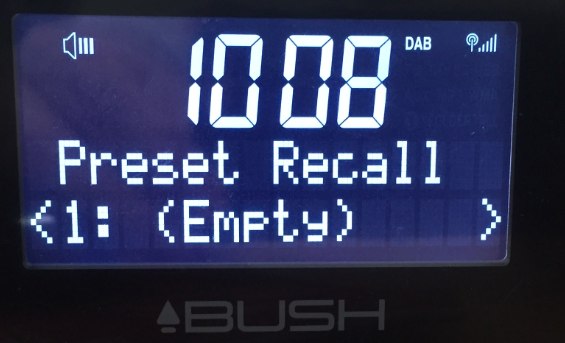
1. Short press or single press of the “Preset” button allows you to recall a station that you have already stored. The front display will show “Preset Recall”
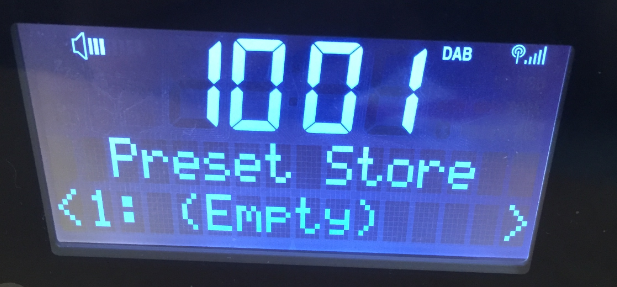
2. Press and Hold the “Preset” button allows you to store up to 10 presets in the memory of the radio.The front display will show “Preset Store”, then you will need to turn the Scroll/Select button to select where you would like to store your preset (between 1-10). Pressing the Scroll/Select button will lock that station into the selected preset.
Preset Store screen:
Preset Recall screen:
For more information refer to the user guide:
Did you find it helpful?
Yes
No
Send feedback
Sorry we couldn’t be helpful. Help us improve this article with your feedback.